Loading...
play.astralmc.sbs
Click to copy IP
» Minecraft Username: IamRegal
» Discord Username: _iamregal_
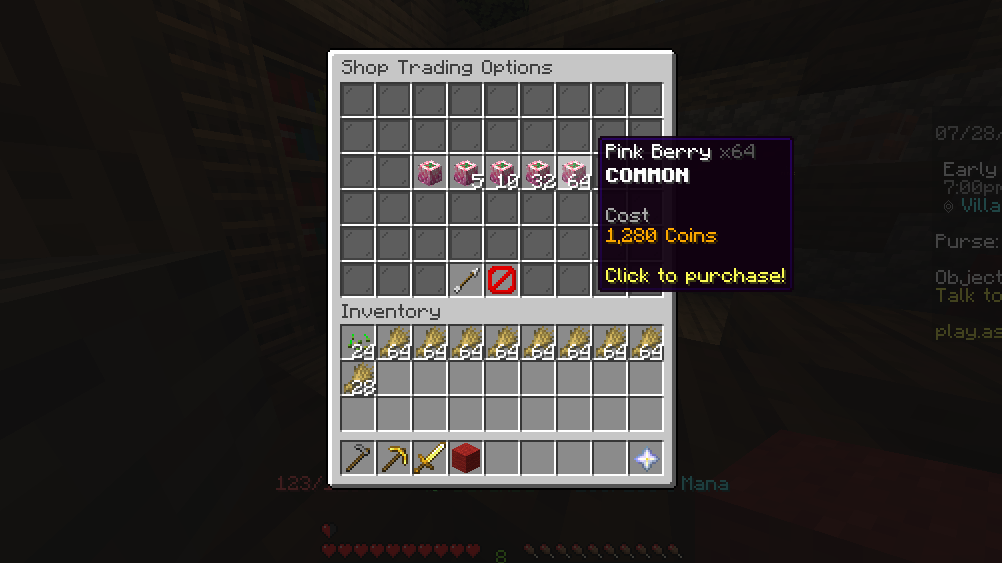
» Bug Title: "Price of items of some items are same on all quantity"
» Bug Description: When viewing items in the Builder's Decoration tab, right-clicking to open the quantity options displays the same total price across all options (Buy 1, Buy 64, Fill Inventory) instead of scaling with the quantity.
» How can we reproduce this bug?
Warp to the Hub and go to the Builder's House .
Open the NPC Shop: Talk to the Builder NPC and select the Decorations category (or talk to the Wool Weaver NPC).
Open Sub-Menu: Right-click on any item to open its quantity options sub-menu.
Observe Prices: Hover over the different purchase options (Buy 1, Buy 5, Buy 64, Fill Inventory).
Identify Bug: Notice that the price displayed on the tooltip remains identical across all stack amounts instead of scaling up with quantity.
» Evidence:
» Minecraft Username: IamRegal
» Discord Username: _iamregal_
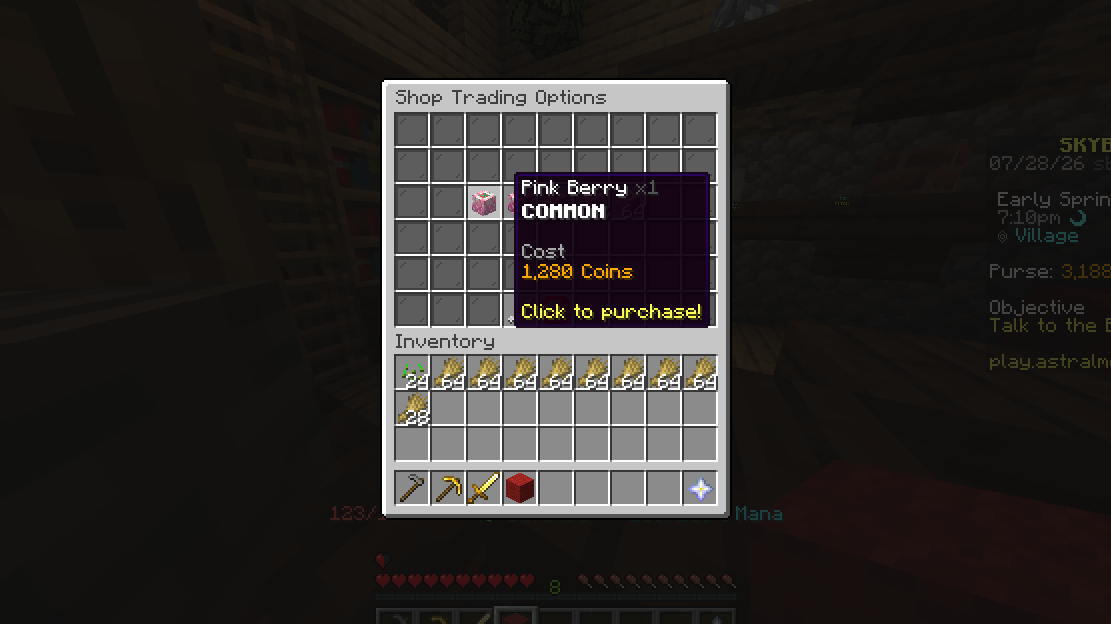
» Bug Title: "bug in npc buying system"
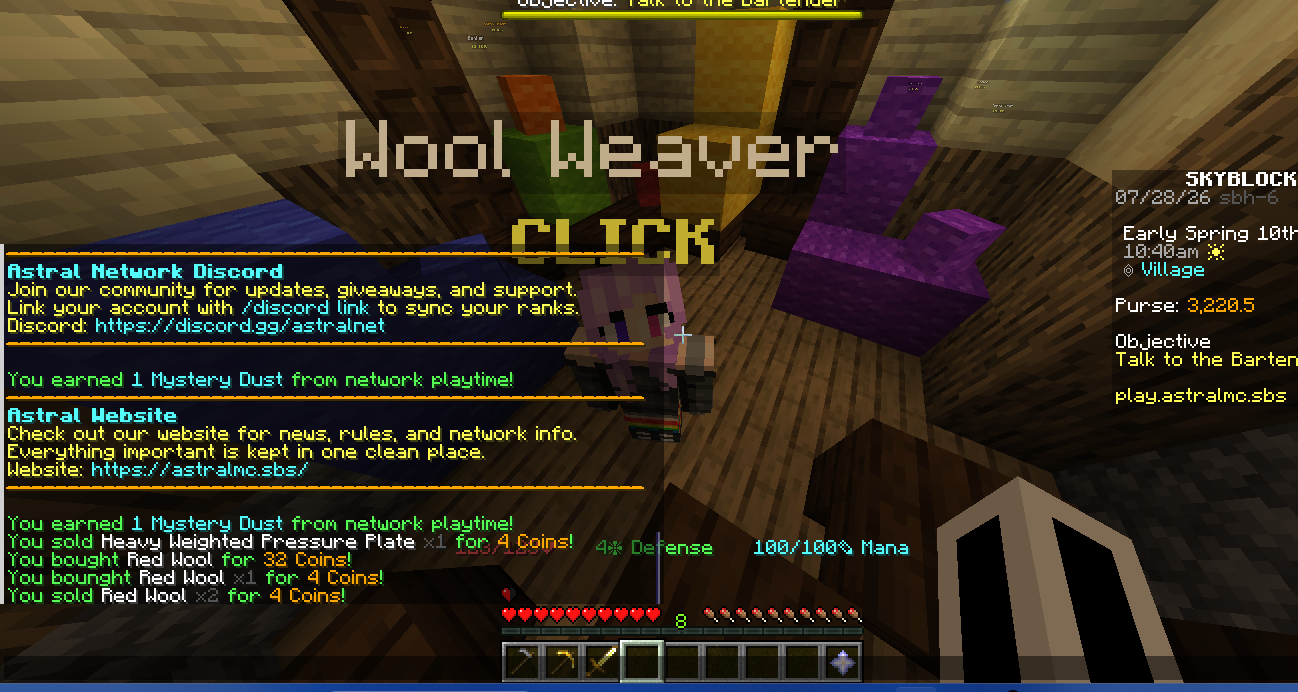
» Bug Description: While purchasing items from the Builder or Wool Weaver, I noticed that left-clicking directly gives me a different price than what is displayed. Sometimes it charges more, and sometimes less. However, when I right-click to view the options menu, the price shown inside is different. I tested this mainly with the Builder and Wool Weaver.
» How can we reproduce this bug?
Open the NPC shop GUI for the Builder or Wool Weaver.
Locate an affected item (e.g., specific wool colors or building blocks).
Left-click the item directly to quick-buy it and note the amount charged / displayed cost.
Right-click the exact same item to open the quantity options menu.
Check the price listed for the first option inside the menu—it displays a different cost than the direct left-click purchase.
» Evidence:
» Minecraft Username: IamRegal
» Discord Username: _iamregal_
» Bug Title: "Sign in Hub Is editibale"
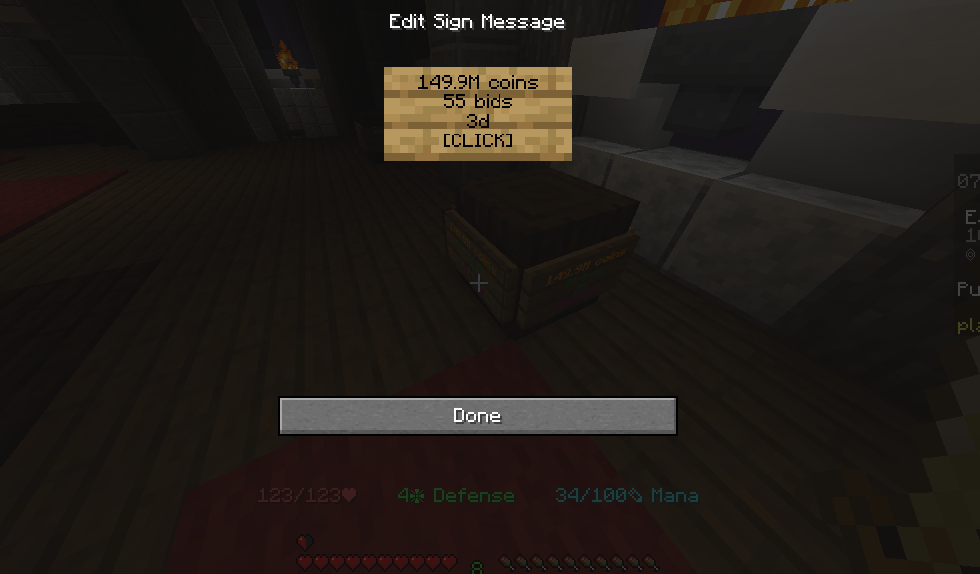
» Bug Description: I clicked a sign in hub and there was text written and i was able to edit it.
» How can we reproduce this bug?
1. Find the sign
2. try to edit it as a normal player
» Evidence:
» Minecraft Username: IamRegal
» Discord Username: _iamregal_
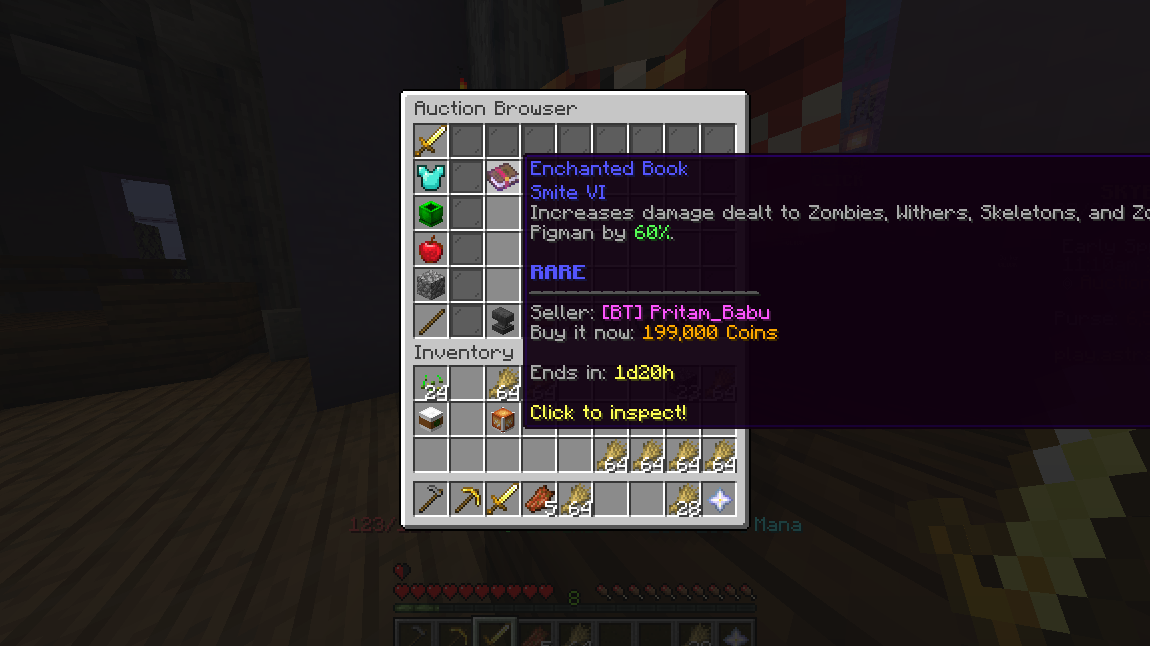
» Bug Title: "Auction time limit syntax error"
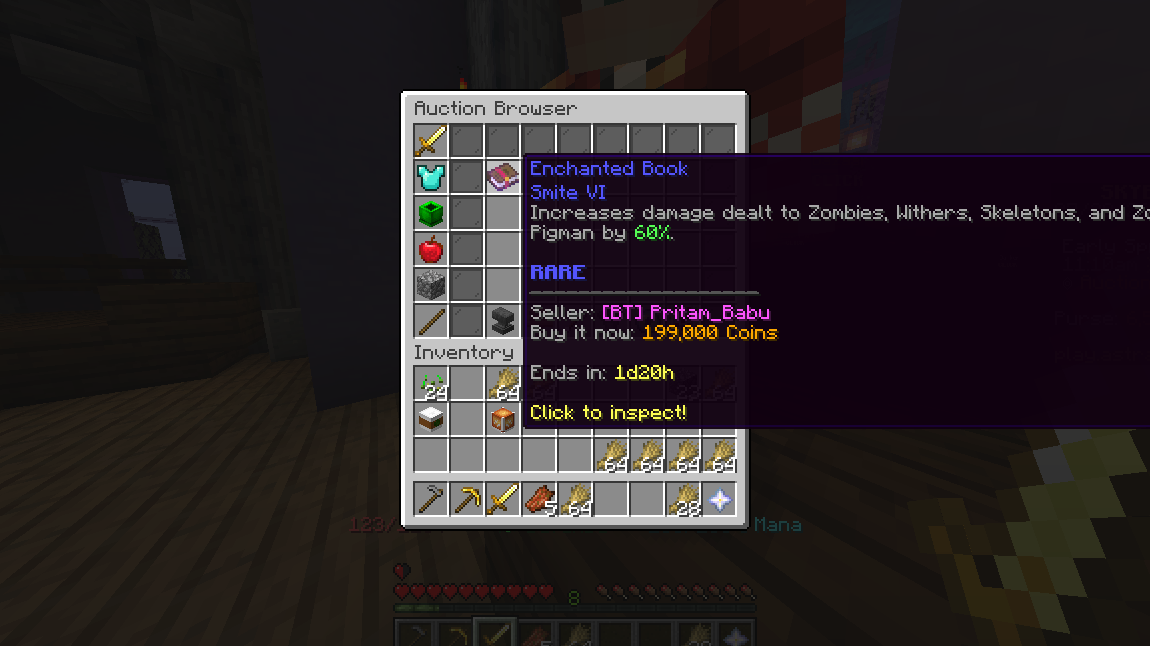
» Bug Description: The time written is not displayed properly; it should be like 1d 20h, but it was like 1d20h.
» How can we reproduce this bug?
1. Open the auction
2. Hover the pointer on the item to see
» Evidence:
» Minecraft Username: IamRegal
» Discord Username: _iamregal_
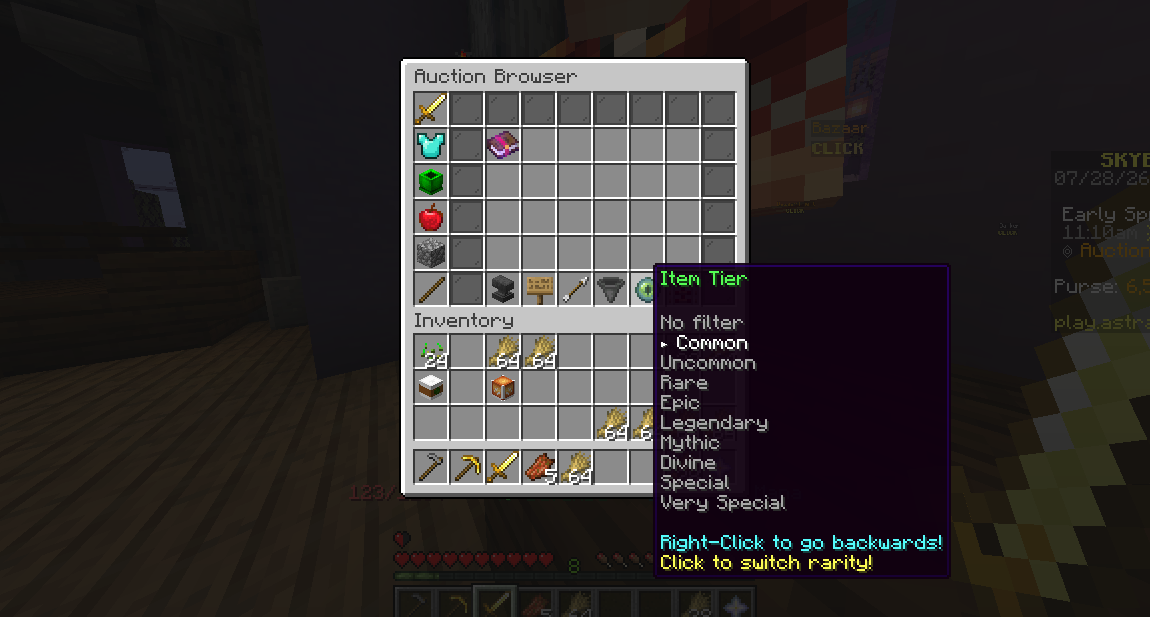
» Bug Title: "Auction Item tier list bug"
» Bug Description: I was randomly using the auction and saw that the item tier list wasn't working on books. I chose "common" when only a rare book was available. It showed the book only in the common category and not in any other, not even in the rare tier, which is where it belonged.
» How can we reproduce this bug?
1. Open the auction
2. choose consumable category
3. Try to change "Item Tier"
» Evidence: